Passport Photo Template Guide: 4x6, A4, Letter, Cut Lines, and Multi-Copy Layouts (2026)
Use passport photo templates and print layouts correctly. Compare 4x6, A4, and Letter sheets, learn where cut lines help, and avoid scale errors when preparing multiple copies.

What a passport photo template actually means
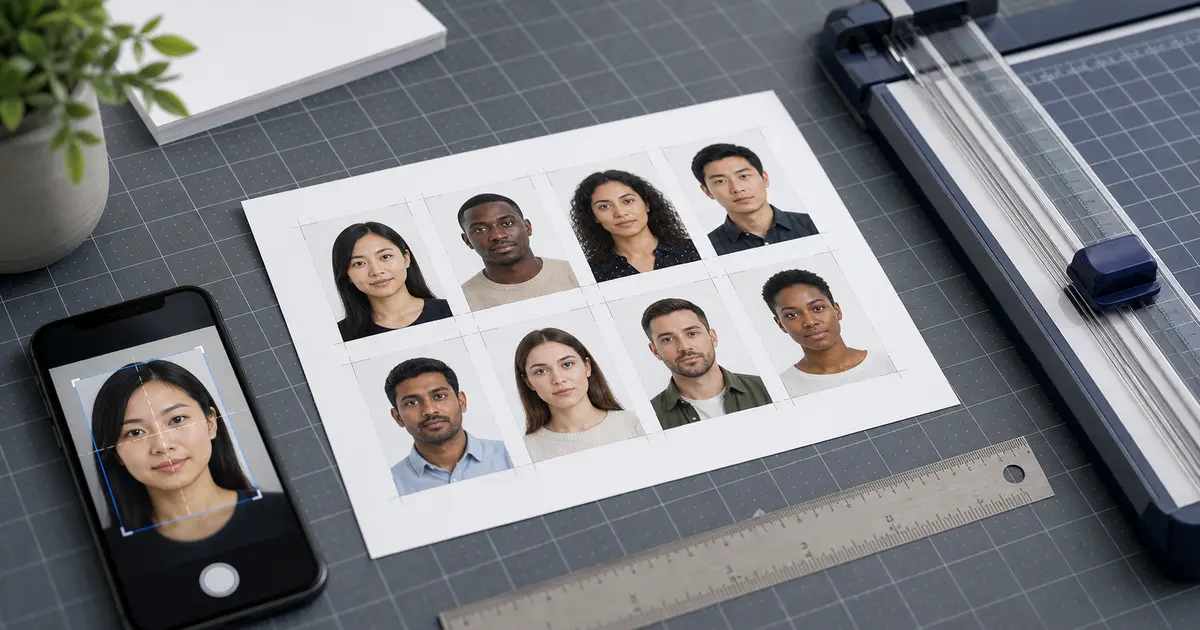
A passport photo template is not just a decorative frame. In a useful print workflow, it is the structure that keeps photo copies, margins, spacing, and cut lines predictable enough to print at actual size. That is why template intent matters more than generic collage aesthetics. The real goal is repeatable output that trims cleanly and preserves the right physical dimensions after printing.
This is a strong commercial-intent topic because users looking for a template are usually close to printing. They are not browsing ideas. They are trying to finish a task. Good content here should explain how templates work with real paper sizes and printer scaling, not just offer a vague promise of “easy layouts.”
4x6, A4, and Letter templates solve different problems
| Template format | Best for | Main tradeoff |
|---|---|---|
| 4x6 | Simple repeated copies of one document photo | Less flexible when you want many sizes or larger margins |
| A4 | Larger print sheets and more flexible multi-copy arrangements | Needs closer attention to printer scaling |
| Letter | Common home-office paper workflow in some markets | Can feel wasteful for a small number of copies |
The most important decision is not the template brand or download format. It is whether the sheet size matches the way you actually print. Users who print a few copies regularly may prefer 4x6. Users who batch more copies or combine layouts may prefer A4 or Letter. What matters is that the software and the printer agree on the physical page and that the user prints at 100 percent scale.
Why cut lines, margins, and spacing matter
Templates become useful the moment they help with cutting. Thin cut lines, consistent spacing, and realistic margins make the final sheet easier to trim accurately. Without them, the user is basically eyeballing small document photos on the page and hoping the final dimensions stay intact. That is not a good workflow for something measured in millimetres.
Good spacing also prevents accidental edge damage. If photos sit too close together, one cut can affect the next. If margins are too tight, the printer may clip or shift the layout depending on the paper path. The best template guides therefore explain not just what sheet size to use, but why spacing and margin choices make the whole layout more forgiving.
Why a passport photo template is not the same as a collage maker
A generic collage maker is built around visual arrangement. A passport photo template is built around measurable output. That is why Passlens treats print layouts as structured templates rather than creative boards. The user still sees multiple copies on a page, but the value is in the physical predictability of the result, not in visual variety.
This distinction matters commercially because many users search for the cheaper or faster generic tool first. Good content can save them time by explaining why the wrong kind of layout software often introduces exactly the printing problems they were trying to avoid.
That is also where queries like Canva photobooth template or free photobooth template drift away from passport intent. A photobooth strip is built for party pictures and keepsakes. A passport template is built for exact physical dimensions and clean cutting. The same confusion happens with picture wallet size or what size are wallet photos. Wallet prints are small keepsake formats, not passport defaults. If the job is compliance, the layout has to be chosen from the document rule first, not from a novelty print format.
Representative sources and related guides
- U.S. Department of State - Passport photos
- GOV.UK - Photos for passports
- HP Support - Print photos with an HP printer
- Passlens - 4x6 passport photo template
- Passlens - A4 passport photo template
- Passlens - Letter passport photo template
- Passlens - Collage photo maker for print layouts
- Passlens - How to print ID photos correctly
- Passlens - Passport photo printer guide