

4x6 Passport Photo Template (2026): How to Print 2x2, 35x45, and 50x70 Photos on 4x6 Paper
Use a 4x6 passport photo template correctly for 2x2, 35x45, and 50x70 photos. Learn when 4x6 paper is the best print path, how to avoid scaling errors, and how to keep passport photos at true size.
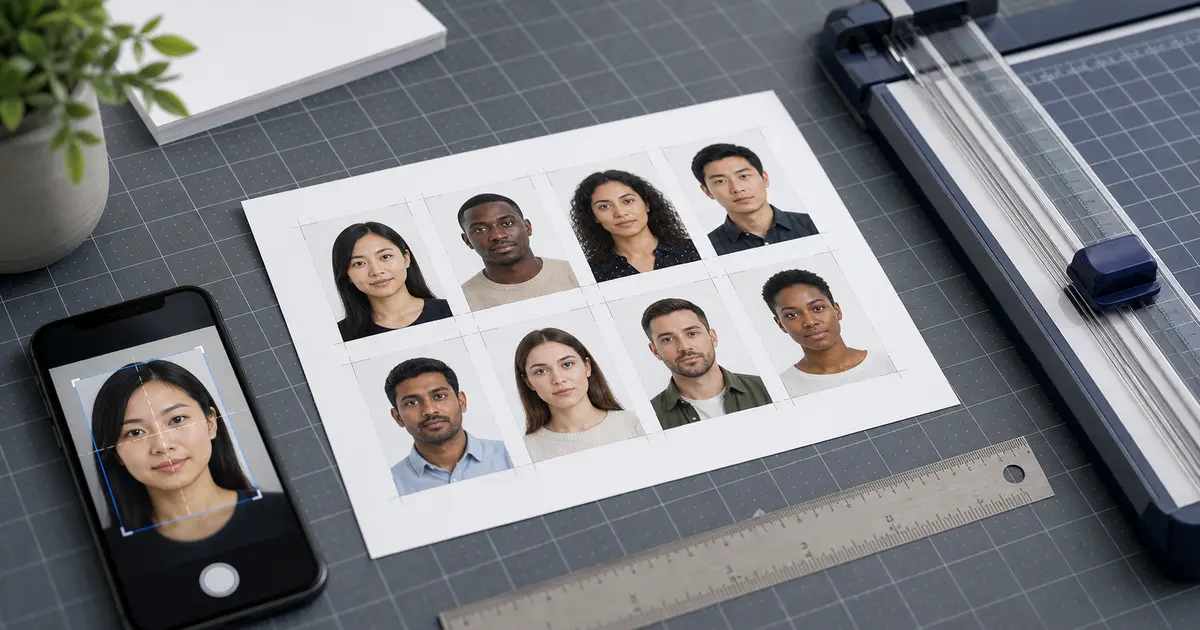
Why 4x6 is the default print sheet for many passport photo workflows
A 4x6 passport photo template is one of the most practical ways to print passport and ID photos at home. It is small enough to waste less paper than an office sheet, but large enough to hold repeated copies of common document-photo formats such as 2x2 inches, 35x45 mm, and in some cases 50x70 mm. That combination is why 4x6 paper keeps showing up in passport photo search intent.
That also covers searches for 4R photo size. In many retail and photo-lab contexts, 4R is simply another name for a 4x6 inch print. If your goal is a passport-photo sheet rather than a family-photo print, the key question is not the label on the paper. It is whether the layout preserves the true size of each passport photo on that sheet.
The biggest mistake users make is assuming a 4x6 template is only a visual layout. It is not. It is a measured print workflow. The layout has to preserve the true outer size of each passport photo, maintain enough spacing for clean cutting, and survive the printer driver without being scaled up or down. A page can look perfectly neat on screen and still print incorrectly if the print dialog changes the sheet scale.
If you are still deciding between 4x6, A4, and Letter, keep the broader passport photo template guide open. If you already know you want the small-sheet route, this page is the dedicated 4x6 playbook.
When a 4x6 passport photo template is the best choice
| Situation | Why 4x6 works well | When another sheet may be better |
|---|---|---|
| 2x2 passport photos | Compact layout and easy repeated copies | If you need many mixed document sizes on one sheet |
| 35x45 passport or visa photos | Photo-paper workflow is easy to measure and trim | If you only have an office printer that handles A4/Letter more reliably |
| Retail photo printing | 4x6 is a familiar lab/photo-kiosk format | If the service resizes uploads automatically without respecting true size |
| Home printer with photo tray | Usually the most convenient photo-paper path | If the printer only supports plain-paper office sheets |
The value of 4x6 is simplicity. If your printer or photo lab already treats 4x6 as a standard photo-paper workflow, you can get a more predictable result with less wasted space than on a full office sheet. That is especially useful when the job is simply “print a few compliant copies and cut them cleanly.”
If your question is how many pixels is a 4x6 picture or how big is 4x6 photo size, the short answer is that 4x6 refers to the paper size first. At 300 DPI, a full 4x6 print is typically 1200 × 1800 pixels. At 600 DPI, it is typically 2400 × 3600 pixels. But passport-photo templates on 4x6 paper still need the smaller document photos inside the sheet to stay at their own exact size.
Which passport photo sizes fit well on a 4x6 sheet
A 4x6 template is not tied to one passport rule. It is a sheet strategy that can support multiple document sizes, as long as the final layout preserves the true physical dimensions. The most common use cases inside Passlens are the 2x2 passport photo size, the 35x45 mm format, and selected 50x70 mm workflows where a smaller number of copies still fit cleanly.
- 2x2 inches: strong fit for U.S. passport and visa workflows when you want repeated copies on one small sheet.
- 35x45 mm: strong fit for many passport and visa applications where the final output still needs true-size trimming.
- 50x70 mm: possible, but less efficient because the frame is larger and leaves less margin for repetition.
The key is not how many copies you can squeeze onto the page. The key is whether the page still gives you enough spacing and cutting tolerance while keeping the size exact. A crowded layout is often worse than a slightly less efficient one.
The 4x6 print settings that matter most
A 4x6 passport photo template only works if the printer path respects the sheet size and keeps the layout at 100% scale. Passport photos are measured in millimetres or inches, so any “fit to page,” border correction, or driver scaling can quietly make a compliant file turn into a wrong-size print.
- Choose the actual 4x6 paper size in the print dialog, not a generic photo size that looks close enough.
- Turn off automatic fit, shrink-to-fit, or borderless expansion unless you have verified the printer keeps the measured size unchanged.
- Print one sample sheet first and measure the outer size of a single photo before cutting the rest.
- Use the correct export path from Passlens so the template and the printer agree on DPI and margins.
If your main question is really about printer behavior rather than template choice, pair this page with the passport photo printer guide and the home printing guide.
Why a 4x6 template is not the same thing as a digital upload file
Users often mix up two different jobs: digital upload compliance and physical print compliance. A 4x6 passport photo template is for the print side. It tells the printer how multiple copies sit on a physical sheet. A digital-upload workflow is different: the authority may care about file size, aspect ratio, or minimum pixel dimensions instead of the layout of a paper sheet.
That is why Passlens keeps these pages separate. If the destination is an online renewal portal, start with the digital passport photo requirements guide. If the destination is a home printer or retail photo print, stay with the 4x6 template and print-layout pages.
Common 4x6 template mistakes
- Uploading a 4x6 print sheet to a digital passport portal instead of a single-photo file.
- Printing on 4x6 paper while the driver is still set to another page size.
- Using borderless mode without checking whether the driver enlarges the content.
- Cutting a crowded layout that leaves too little margin between copies.
- Assuming every retail 4x6 print service preserves exact document-photo dimensions automatically.
Open the 4x6 print workflow in Passlens
Use the Passlens print workflow when you want a 4x6 layout that keeps each photo at its real size instead of treating the sheet like a casual collage. That matters most for 2x2, 35x45, and 50x70 outputs where scale drift ruins the whole sheet.


