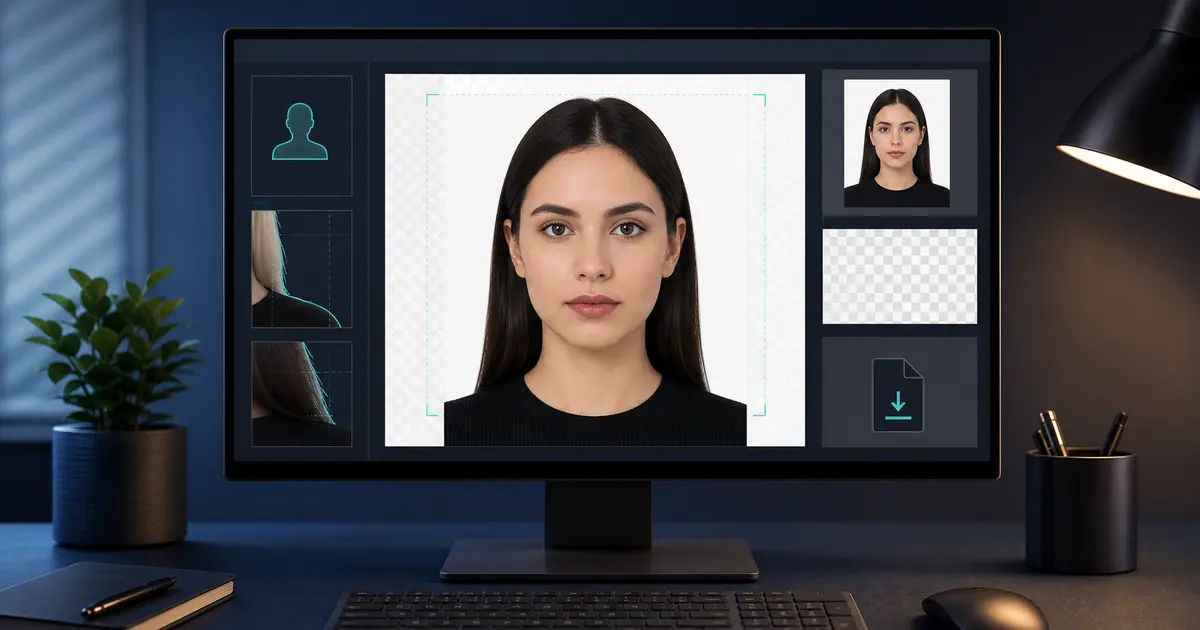
Passport Photo Background Color Code 2026: White, Grey, Blue HEX Codes
Passport photo background color codes: #ffffff white, #f7f7f2 off-white, #eeeeee light grey, and #dceaf5 pale blue-grey only when allowed.
Fast answer: passport photo background color codes
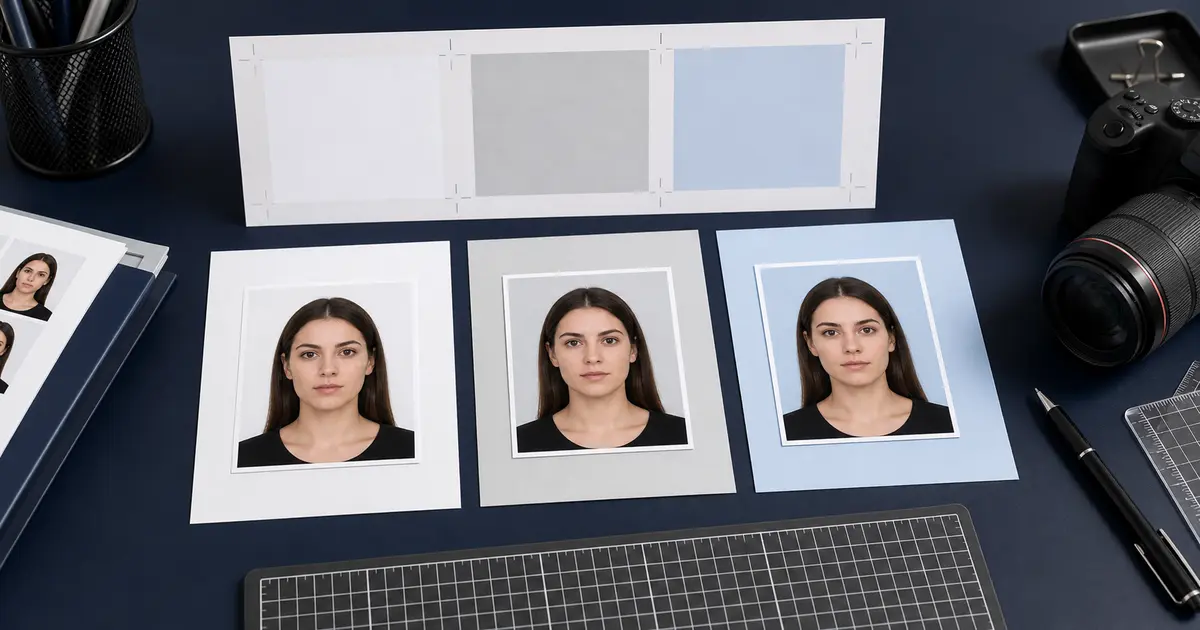
If you only need a practical editing code, start here. Use #ffffff for pure white, #f7f7f2 for off-white, #eeeeee for light grey, and #dceaf5 for pale blue-grey. These are editing references, not official universal rules.
The document rule still decides the background. Use #dceaf5 only when the document rule allows a pale blue-grey background. Do not add blue to a U.S. or Singapore-style passport photo just because a color-code list includes a blue shade.
| Background | Practical HEX code | Use it when |
|---|---|---|
| Pure white | #ffffff | The document says white or uses a U.S. / Singapore-style white-background rule. |
| Off-white | #f7f7f2 | The document allows white or off-white and the face needs a little contrast. |
| Light grey | #eeeeee | The country asks for a plain light or neutral background rather than pure white. |
| Pale blue-grey | #dceaf5 | The document specifically allows a light blue or blue-grey background. France is the common example. |
Why background colour causes so many rejections
A large number of rejected passport and ID photos fail because the background colour is wrong, uneven, shadowed, or simply guessed from another country’s rules. Users often search for “passport photo background color” expecting one universal answer. There is no universal answer. Some authorities want pure white, some prefer a very light neutral tone, and some workflows specifically reject pure white even when the photo looks clean.
Background colour matters because it affects facial contrast, automated photo checking, and how clearly the head separates from the backdrop. It also matters because a passport-size crop is not the same thing as a compliant biometric portrait. If the background is mottled, textured, or the wrong shade, the photo can still be rejected even when the size is correct.
One of the most common real searches is is blue background photo ok for passport. The honest answer is: sometimes, but only for specific document workflows. France is the classic light blue-grey example, while the U.S. and Singapore are much closer to white and Germany often prefers light grey rather than bright white.
The fastest way to avoid a rejection is to treat background colour as a country rule, not a styling choice. If the search starts as passport photo requirements, the real next step is to jump to the exact country page and confirm whether the authority expects white, cream, light grey, or a light blue-grey exception before you export anything.
The same issue appears in plainer searches like background for passport photo or background passport photo. People usually are not asking for design advice. They are trying to work out which background is safe for the document they are actually preparing, and whether the file still looks believable after cleanup.
The short version for passport background color searches is simple: white, off-white, light grey, cream, and light blue-grey can all appear in real document-photo workflows, but the right answer changes by country. A color code can help you edit a file. It cannot replace the country rule.
In German, that same question often appears as Passbild Hintergrund Farbe. What people usually mean is simple: does the document want white, does light grey work, and when would a blue-grey background still be acceptable? The answer still depends on the country and the document route, not just the color word in the query.
Quick answer: what background colour should a passport photo use?
There is no single standard passport photo background color that works everywhere. The safest answer is the one published for the document you are preparing. For many U.S. and Singapore-style routes, that means white or off-white. For many UK-style routes, light grey or cream is common. For France, a pale blue-grey background is often the detail people miss.
If you only need the short answer, use white or off-white unless the exact country rule says light grey, cream, or pale blue-grey. Blue is an exception, not the default. If the backdrop itself is the problem, start with the passport photo background removal hub. If you want the normal workflow to stay in the browser until you choose otherwise, use the passport photo maker without uploading by default. If you need the full edit route after cleanup, use the passport photo maker. If the file already exists and only needs a final rule check before export, use the passport photo checker.
After the background is settled, check whether the crop still fits the document. Use the passport photo crop tool guide for frame and head-size review, the face adjustment guide when the head sits too high or low, and the passport photo app guide if you are choosing between phone, browser, and hybrid workflows. The passport photo rules methodology explains why a colour note is treated as official only when it comes from the right authority source.
If all you need is a starting shade for editing, use the codes below as practical editing references, not official rules. A color code helps you make the background consistent. It does not prove the photo is acceptable for a passport, visa, ID card, or driving-licence route.
| Search intent | Plain answer | Best next page |
|---|---|---|
| What are the acceptable backgrounds for passport photos? | White, off-white, cream, light grey, and pale blue-grey can all appear in real workflows. | Compare country requirements |
| Standard passport photo background color | No global standard exists; start with the document rule. | Find the document preset |
| US passport photo background color requirements 2026 | Use a white or off-white background and avoid shadows. | U.S. passport photo guide |
| UK passport photo background colour | Use a plain light-coloured background, usually light grey or cream. | UK passport photo guide |
| Passport photo blue background color code | Use pale blue-grey only when the target document allows it. | France background example |
Background colour requirements by country: quick search answers
Searches for passport photo background color requirements by country usually come from one real problem: the user has seen white, grey, cream, and blue examples and needs to know which one is safe. Use the country rule first, then use a color code only to make the chosen background even.
| Search phrase | Safer answer | Next page |
|---|---|---|
| Passport photo background color requirements by country | White, off-white, light grey, cream, and pale blue-grey all appear in real routes. The country decides which one is valid. | Compare country requirements |
| US passport photo background color | Use a plain white or off-white background with no shadows. | Open the U.S. passport guide |
| UK passport photo background colour / British passport photo background colour | Use a plain light-coloured background. Light grey or cream is the normal safe direction. | Open the UK passport guide |
| French passport photo background color | France is the common exception people miss: a light grey or pale blue-grey background can be the right route. | Open the France passport guide |
| Grey passport photo background / light grey background passport photo | Grey can be correct for some biometric routes, but it is not a substitute for a white-only rule. | Compare the Germany example |
| Passport photo white or blue background | White is common. Blue is not a default. Use pale blue-grey only when the country guide allows it. | Read the France passport guide |
| Does passport photo background have to be white? | No. Some routes expect white or off-white, but others accept or prefer light grey, cream, or pale blue-grey. | Fix the background carefully |
| Are passport photos in color? | Usually yes: the photo itself should be in color. That is separate from the background shade. | Check an official-route example |
Quick answers for passport background color code searches
| Search | Safer answer | What to check before export |
|---|---|---|
| Passport photo background color code | Start with the country rule, then choose a matching light shade. | Does the authority say white, off-white, light grey, cream, or light blue-grey? |
| Passport size photo background color code | Use a code only after the document route is known. | A 2x2 or 35x45 crop does not decide the background on its own. |
| Passport size photo background colour code | The UK spelling usually points to UK, Ireland, Australia, or Commonwealth-style searches. | Check whether the rule says plain light-coloured, white, cream, or grey. |
| Passport background color | There is no single global color. | Is the route U.S., UK, France, Germany, Singapore, or something else? |
| Can I use blue background for passport photo? | Only when the document allows light blue or blue-grey. | Do not use blue as a default for U.S. or Singapore-style workflows. |
| Best background color for passport size photo | The best color is the one the target authority accepts. | Also check shadows, texture, and cutout edges. |
| ID background color | ID cards can differ from passport rules in the same country. | Pick the exact ID or licence preset, not only the country. |
This is the part most color-code lists get wrong. They answer with a shade, then leave the user to guess whether that shade is valid for the document. For a passport photo, the order should be reversed: choose the document route first, then pick the background shade that fits it.
When to make a passport photo background white
Searches like make background white for passport photo, white background passport photo online, and change background to white for passport photo usually come from the same problem: the source photo has a room, wall, shadow, or uneven backdrop behind the head. White can be the right fix, but only when the target document accepts white or off-white.
If the country wants white, use the background removal tool or the Passlens editor to clean the backdrop, then check the edge around hair, glasses, ears, collar, and shoulders before export. If the country wants light grey, cream, or pale blue-grey, do not turn the photo pure white just because a search result or a generic editor button suggests it.
| If your search says... | Do this first | Then check |
|---|---|---|
| White background passport photo | Confirm the document accepts white or off-white. | No shadows, no hot spots, no cutout halo. |
| Change passport photo background to white | Remove the old background only if white is valid for the route. | Hair and shoulder edges still look natural. |
| Plain light background meaning | Treat it as light, even, and neutral rather than a specific HEX code. | The background has no pattern, folds, room detail, or colour cast. |
| Uniform background meaning | Make the tone consistent across the whole crop. | There is enough contrast between the head and the backdrop. |
Passport photo blue background color code: what to use and when
A passport photo blue background color code is useful only after you know the document allows a light blue or blue-grey backdrop. Most authorities do not publish one official HEX code. They describe the background in words, such as light grey, blue-grey, plain white, or uniform light background. Treat any code as a starting shade for editing, not as a rule that overrides the country guide.
| Use case | Practical starting code | When to use it |
|---|---|---|
| Light blue-grey | #dceaf5 | Only for document routes that allow a pale blue-grey background, such as French-style identity-photo workflows. |
| Neutral light grey | #eeeeee | For routes that prefer a light neutral backdrop rather than pure white. |
| Off-white | #f7f7f2 | For routes that allow white or off-white but need a little contrast. |
| Pure white | #ffffff | Only for routes that clearly expect white, such as many U.S. and Singapore-style passport workflows. |
For passport size photo blue background color code searches, avoid saturated blue, royal blue, or studio-blue backdrops unless the authority explicitly asks for that kind of background. Most passport and biometric-photo routes that allow blue are closer to a pale blue-grey than a strong blue screen.
Do not pick blue because it looks clean on screen. Pick it only when the target document supports that background family. If you are unsure, compare France, Germany, the United States, and Singapore before exporting.
White, light grey, and light blue backgrounds
| Background colour | Where it is commonly seen | What still matters |
|---|---|---|
| White | U.S. passport workflows, Singapore ICA-style workflows, many digital submissions | Must be uniform, shadow-free, and not overexposed |
| Light grey / neutral | UK-style passport workflows and many biometric standards | Needs to stay light and even, not dark or textured |
| Light blue / blue-grey | French identity-photo workflows and similar exceptions | Pure white may be rejected even when the crop is correct |
This table is a starting point, not a substitute for the actual document guide. Two countries can share the same outer photo size and still use different background rules. That is why Passlens pushes users toward the exact preset first instead of offering a one-click “white background for everything” assumption.
Is a blue background OK for a passport photo?
A blue background passport photo is not a universal standard. It can be correct when the document specifically allows a light blue-grey or similarly pale neutral backdrop, but it can also be the wrong answer for countries that expect white or light grey instead. The practical lesson is that “blue” is a country-specific exception, not a safe default.
That is why searches like blue passport background can be misleading if the document route is not identified first. Blue-grey may be acceptable in one workflow and plainly wrong in another. The background has to be validated against the actual document, not only against the color word that appeared in the search.
If you need an exact example, compare the current guides for France, Germany, the United States, and Singapore. Those four pages show why the same passport-photo question can produce four different background answers depending on the authority and submission route.
For a broader comparison across countries that share similar outer sizes but different background rules, use the passport photo requirements by country guide. It helps separate the size question from the background question before you export the final file.
Should you add a blue background to a passport photo?
If your search is add blue background to passport photo, the safe answer is usually no, not unless the target document explicitly allows a light blue or blue-grey background. A blue backdrop is not a cosmetic upgrade. It is a country-specific compliance choice. If the document expects white or light grey, adding blue can turn a usable photo into a rejection risk.
The right workflow is to start from the exact document preset and only then decide whether the correct background is white, light grey, cream, or light blue-grey. France is the classic blue-grey exception, Germany often leans light grey, and the U.S. and Singapore are much closer to white. That is why “add blue background” is a dangerous shortcut when you have not already identified the target authority.
- Add blue-grey only when the document explicitly allows it: France is the clearest example.
- Use white when the authority clearly expects white: the U.S. and Singapore fit this lane much more closely.
- Prefer light grey when the country guidance leans neutral instead of pure white: Germany is the useful example here.
- Do not force one background across multiple countries: the wrong colour can break an otherwise perfect crop.
Country differences people miss most often
The U.S. is one of the strongest white-background examples. The UK often accepts a light grey or cream background instead of requiring pure white. France is the example many people miss because its identity-photo rules do not map cleanly to the “white only” mental model. Singapore ICA workflows are strongly associated with white backgrounds. These differences are exactly why a background guide is useful: the shared idea of “passport photo” hides real country-by-country differences.
Germany is another useful example because the official biometric template says the background should be plain and preferably light grey. That puts Germany between the pure-white expectation many users bring from U.S. examples and the light blue-grey exception that people notice in French identity-photo rules.
A practical rule follows from that: if you know the document, do not start from the colour question alone. Start from the document preset, then use the background question to validate the result. The order matters because colour is part of a whole rule set, not a separate styling choice.
That is also why the best comparison set is not only France and the U.S. Add Ireland and the UK to the picture and you can see the full spread: white is common in some routes, Ireland accepts white/grey/cream, the UK leans light grey or cream, Germany prefers light grey, and France is the standout blue-grey exception.
Common passport photo background mistakes
- Using pure white when the document really wants a light neutral or blue-grey tone.
- Leaving shadows on one side of the wall or backdrop.
- Using a textured sheet, wrinkled paper, or visible room corner as the background.
- Over-editing the cutout and leaving visible edges around the hair or shoulders.
- Assuming the same background rule applies to passport, ID card, and licence workflows in the same country.
What to avoid
Do not fix a bad source photo by turning the background into a flat white block if the edge quality or lighting still looks fake. Consistency matters as much as the nominal colour.
How to check the background before you export
Before exporting, zoom in on the edges around the hair, ears, jawline, and shoulders. This is where weak background cleanup shows up first. A background can look fine from a distance and still fail because the outline of the head looks artificial. Also inspect the background for gradients, hot spots, or shadows that only become obvious on a larger screen or on paper.
- Look for shadows behind the head or shoulders.
- Check that the backdrop is one consistent shade.
- Inspect the edge around the hair for halo artifacts.
- Compare the result with the actual country or document guide before final export.
If any one of those checks fails, the right fix is to correct the image before exporting rather than hoping the authority or print lab will be lenient on the final file.
Frequently Asked Questions
Can a passport photo have a blue background?
Sometimes, but not as a universal rule. Light blue or blue-grey backgrounds appear in some document workflows, including the French identity-photo example referenced in this guide. The problem is assuming that “blue” works everywhere. In many other passport workflows, a white or light neutral background is the correct standard instead.
Should I add a blue background to a passport photo?
Only when the exact document rule supports a light blue or blue-grey background. If you are not certain, do not add blue by default. It is safer to check the country guide first and then prepare the background that matches that authority’s rule instead of guessing from another country’s workflow.
Is a pure white background always accepted for passport photos?
No. Pure white is common in some workflows, especially U.S. and Singapore-style passport photos, but it is not universal. The UK often accepts a light grey or cream background, and some European identity-photo workflows use a different tone altogether. The correct answer always depends on the exact document preset.
What background does the UK passport route accept?
The UK passport route is usually associated with a light grey or cream background rather than a pure white-only rule. That is one of the easiest examples of why users should not force every passport photo into the same white backdrop just because another country accepts it.
How do I know whether shadows will cause a rejection?
If you can see shadows behind the head, a visible gradient across the wall, or a halo around the hairline after background cleanup, the image is already risky. Authorities and automated photo checkers care about uniform background quality, not just the nominal colour. A background that is technically the right shade can still fail if the lighting or cutout quality is poor.
Use the correct background with Passlens
Passlens lets you choose the document preset first and then prepare the crop and background for that exact workflow. That is a safer way to work than forcing every photo into a generic white background regardless of country or document type.