Visa Photo Validator: How to Check a Visa Photo Before You Submit (2026)
Use a visa photo validator workflow to check crop, background, digital-export quality, and upload readiness before you submit. Built for users who already have a visa photo and want a safer final check before the portal or print step.

What people usually mean by visa photo validator
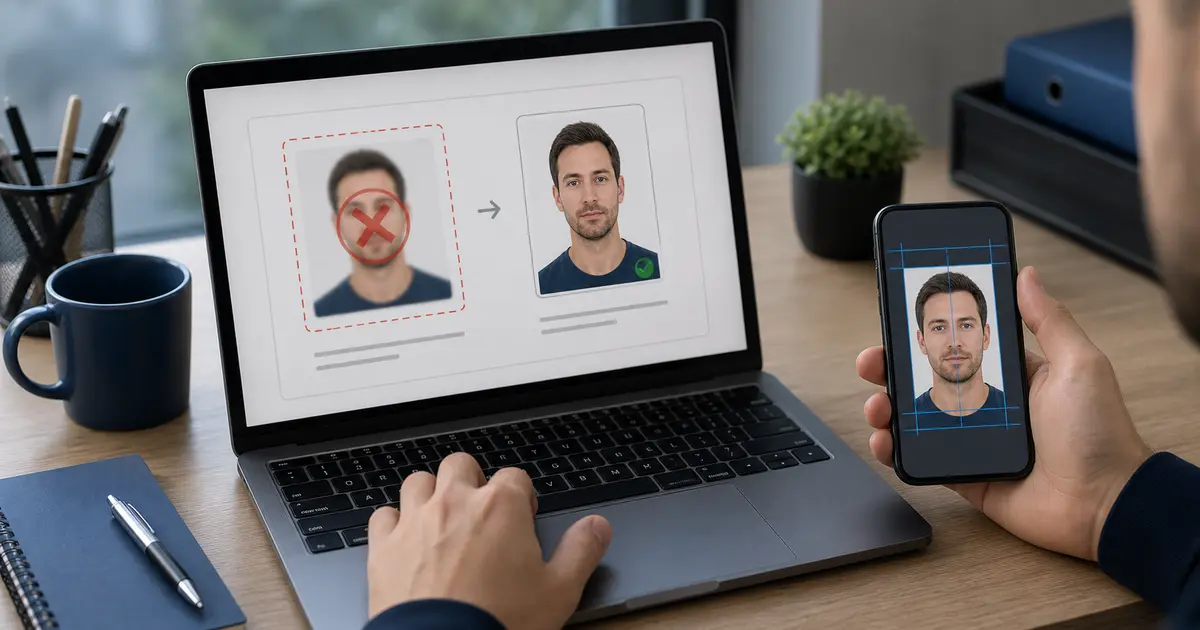
A visa photo validator query usually appears late in the workflow. The user already has a photo, or at least a draft. They are no longer asking which size a visa photo might be. They are asking whether the file they are about to submit still looks safe enough to trust.
That makes validator intent different from maker intent. A visa photo maker query is about building the file in the first place. A validator query is about checking the last weak points before submission: crop, background, digital export quality, and whether the final file still matches the route the user is actually on.
If your real route is a U.S. visa or passport-style upload, start with the US passport photo maker. If the blocker is the square digital target itself, use the 600x600 passport photo maker. If you only need a final review before you submit, use the passport photo checker.
What a useful visa photo validator should actually check
| Check | Why it matters |
|---|---|
| Document route | A Schengen, U.S., Australia, or New Zealand visa photo can share broad biometric traits while still differing in practical submission details. |
| Face framing | Visa submissions still fail when the face is too small, too large, or badly positioned in the frame. |
| Background edge quality | Hairline, ears, collar edges, and uneven cleanup are where weak validation usually shows up. |
| Digital export fit | If the visa route is upload-first, the final file still has to fit the portal constraints after export. |
| Print or digital path | Some visa workflows still depend on prints, some on uploads, and some on both. |
That is why a validator page should stay tied to the editor and export path instead of pretending a single visual check is enough for every visa route.
Why visa validation is trickier than people expect
Visa workflows often look similar from a distance: front-facing portrait, clean background, measured crop. But once submission starts, the friction points diverge. One route may care mainly about a 35x45 biometric print. Another may care about a square digital upload. Another may care about file size and portal acceptance more than the printed dimensions. That is why a visa validator has to stay attached to the right route, not just the right-looking picture.
This is also where a lot of weak validation content goes wrong. It treats “visa photo” as one universal template. Real users do not fail on a universal template. They fail on the small mismatch between the photo they prepared and the route they actually have to submit.
A practical way to validate a visa photo before submission
- Start from the exact visa route or country guide, not from a generic biometric assumption.
- Review the crop and background inside the editor before you export.
- Match the final file to the expected submission path: print, upload, or both.
- Check the visible edge quality at normal zoom and close zoom.
- Keep the workflow open until the visa portal or print step is confirmed.
Simple rule
If you change the file after export, validate it again. Small “quick fixes” are where a lot of visa-photo problems begin.