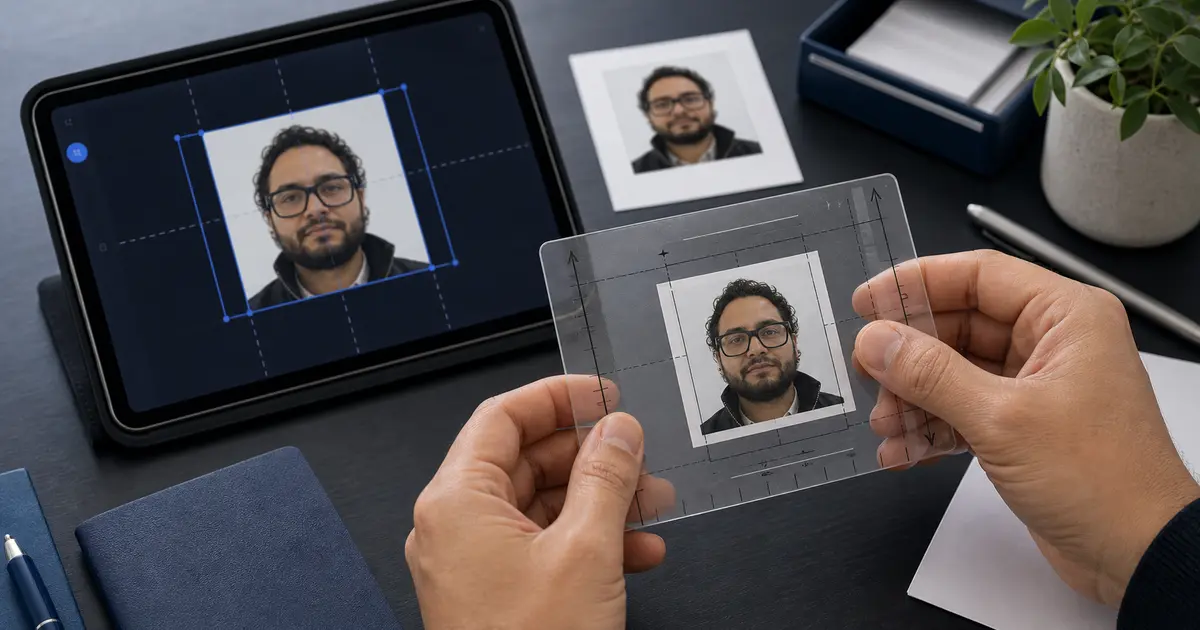
Passport Photo Size in Pixels 2026: 2x2, 35x45, 50x70
Quick passport photo pixel chart: 2x2 is 600 x 600 px at 300 DPI, 35x45 mm is about 413 x 531 px, and portal upload sizes can differ.
Fast answer: passport photo size in pixels
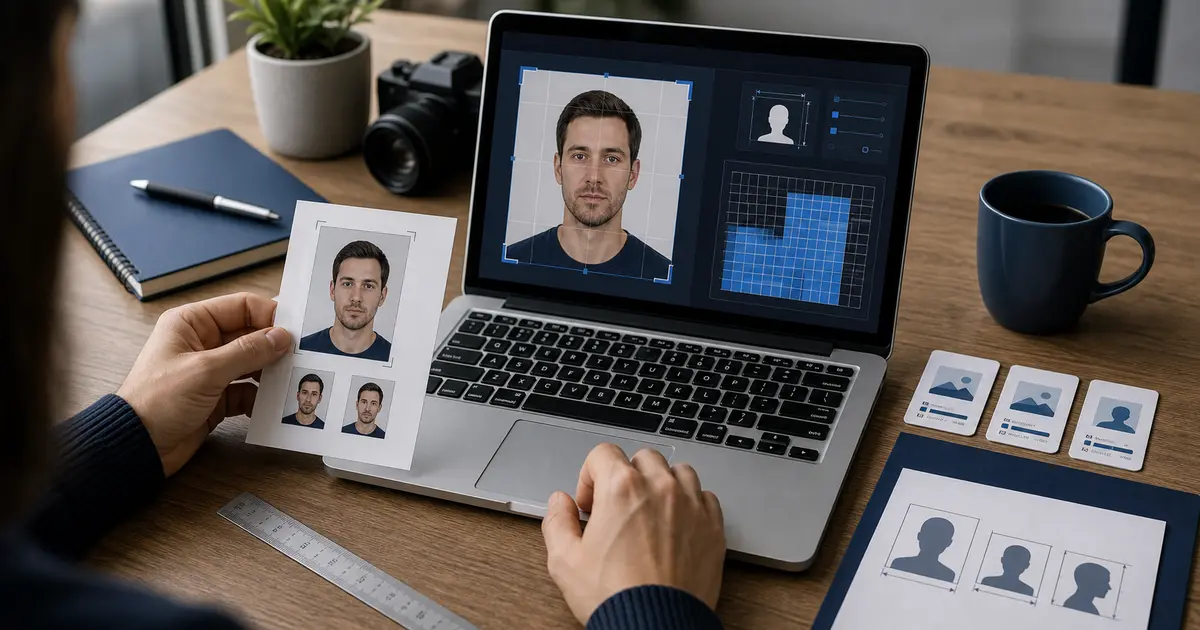
If you searched for passport size photo size in pixels, do not start with one universal number. Pick the document frame first. A 2x2 photo is usually 600 x 600 px at 300 DPI or 1200 x 1200 px at 600 DPI. A 35 x 45 mm photo is about 413 x 531 px at 300 DPI.
Pixels are only the export size. They do not prove the head is the right size, the background is accepted, or the file matches a portal rule. If you need the actual square U.S.-style workflow, use the 2x2 passport photo maker or check the finished file with the passport photo checker.
| Photo or search phrase | 300 DPI answer | 600 DPI answer or note |
|---|---|---|
| passport size photo size in pixels | Depends on the document: 2x2 is 600 x 600 px; 35x45 mm is about 413 x 531 px. | Use the country or portal rule before resizing. |
| 2x2 photo / 2 by 2 in px | 600 x 600 px | 1200 x 1200 px |
| 2x2 picture size in pixels | 600 x 600 px | Use 1200 x 1200 px only when you need a 600 DPI export. |
| 35x45 mm photo | 413 x 531 px | 827 x 1063 px |
| 50x70 mm photo | 591 x 827 px | 1181 x 1654 px |
| 400 x 514 pixels | Portal-specific digital target | Not the same as a normal 35x45 mm print conversion. |
Why passport photo size in pixels matters
When people search for passport photo size in pixels, they are usually trying to solve one of two problems. Either they are uploading a digital photo to an application portal, or they are trying to understand whether a print export is large enough to produce the right physical size cleanly. In both cases, pixel dimensions matter because they control how much real image information the file contains.
The important distinction is that pixels are not the same as compliance. A photo can match a pixel target and still fail because the head size is wrong, the background is wrong, or the file is too compressed. Pixel dimensions are one layer of the workflow, not the whole rule.
That is why a query like 2x2 size in pixels is really asking for two answers at once. It needs the square-pixel math, but it also needs the right document route so the file is not technically square and still wrong for the passport or visa flow it is heading into.
Live search phrasing makes that even clearer. People do not only ask for 2x2 size in pixels. They also ask for 2x2 in pixels, 2x2 photo in pixels, 2x2 picture in pixels, 2x2 picture size in px, and how many pixels is a 2x2 photo. All of those are really the same question: what square pixel target should I export without breaking the actual document workflow?
| If you searched for | Quick answer |
|---|---|
| 2x2 to pixels | 600 x 600 px at 300 DPI, or 1200 x 1200 px at 600 DPI |
| 2 by 2 in px | Same as 2x2: a square 600 x 600 px print-ready export at 300 DPI |
| 2 x 2 size in px | 600 x 600 px for normal 300 DPI passport-photo print math |
| 2x2 inches at 300 dpi pixels | 600 x 600 pixels |
| 35x45 mm to pixels | About 413 x 531 px at 300 DPI, or 827 x 1063 px at 600 DPI |
| 50x70 in pixels | About 591 x 827 px at 300 DPI, or 1181 x 1654 px at 600 DPI |
| passport size pixel ratio | There is no universal ratio. U.S. 2x2 is 1:1; 35x45 is 7:9; Canada 50x70 is 5:7. |
Quick answers for passport-photo pixel searches
If you only need the number, start here. Then check the country or portal rule before you upload, because the same pixel dimensions can mean different things in print and online forms.
If you only need the short answer for a 2x2 photo, use 600 x 600 px at 300 DPI or 1200 x 1200 px at 600 DPI. If you are making the file now, use the 2x2 passport photo maker. If you want to check the export before you submit or print it, use the passport photo checker.
If your real job is a U.S. passport photo, go straight to the US passport photo maker. If the blocker is the square upload target itself, use the 600x600 passport photo maker.
| Search phrase | Plain answer | What to check next |
|---|---|---|
| passport photo size in pixels | There is no single worldwide pixel size. U.S. square photos are often 600 x 600 px at 300 DPI; 35 x 45 mm photos are about 413 x 531 px at 300 DPI. | Pick the country first. |
| passport photo dimensions in pixels | Dimensions depend on the physical size and DPI, or on a government portal target. Pixels alone do not prove that the head size or background is accepted. | Check the photo after export. |
| passport image size in pixels | This usually means the width and height of the exported image file, not the size of the passport book page. | Use the mm-to-pixels calculator. |
| how many pixels is a 2x2 photo? | 600 x 600 px at 300 DPI, or 1200 x 1200 px at 600 DPI. | Open the 2x2 pixel guide. |
| is 600 x 600 px 2x2? | Yes, if the file is meant to print at 2 x 2 inches at 300 DPI. For digital portals, confirm the portal accepts that size. | Check U.S. passport-photo rules. |
| 400 x 514 pixels in mm | 400 x 514 px is a digital upload target used in some workflows, not a normal print-size conversion. At 300 DPI it is roughly 33.9 x 43.5 mm. | Check the Singapore guide. |
| id photo size in pixels | ID-photo pixel size depends on the ID type. A national ID, licence, visa, and passport can all use different frames. | Compare common document sizes. |
| 300x300 passport photo | A 300 x 300 px file is a small square image. It is usually too limited for mainstream passport-photo workflows unless a specific portal asks for it. | Use a digital-photo workflow. |
Which pixel answer matches your search?
These are the pixel questions people mix together most often. The short answer is useful, but the next step matters more: a 2x2 print, a 35x45 print, and a portal upload are not the same job.
| Search phrase | Best short answer | Use this next |
|---|---|---|
| passport size photo size in pixels | There is no single worldwide size. U.S. 2x2 is 600 x 600 px at 300 DPI; 35x45 mm is about 413 x 531 px at 300 DPI. | Choose the country size first. |
| 2x2 in pixels | 600 x 600 px at 300 DPI, or 1200 x 1200 px at 600 DPI. | Make the 2x2 file. |
| 2 by 2 in px | Same 2 inch by 2 inch math: 600 x 600 px at 300 DPI. | Check the 2x2 size and head rules. |
| passport size photo pixel ratio | The ratio follows the document: 2x2 is 1:1, 35x45 is 7:9, and 50x70 is 5:7. | Compare the common frames. |
| 35mm x 45mm into pixels | About 413 x 531 px at 300 DPI, or 827 x 1063 px at 600 DPI. | Use the mm-to-pixels calculator. |
| 400 x 514 pixels | Treat it as a portal-specific upload target, not a generic 35x45 mm print conversion. | Check the Singapore upload workflow. |
2 by 2 in px: the quick answer
For a standard U.S.-style passport photo, 2 by 2 in px usually means 600 x 600 pixels at 300 DPI. If you export the same 2 inch by 2 inch photo at 600 DPI, the file becomes 1200 x 1200 pixels. The printed size is still 2 x 2 inches either way.
That same answer covers 2x2 to pixels, 2x2 to px, 2 x 2 size in px, 2x2 picture size in pixel, and 2 by 2 picture size in pixels. The wording changes, but the print math is the same: inches multiplied by DPI.
Use the 2x2 passport photo size guide if you need the inch, millimetre, and head-size rules. Use the free 2x2 passport photo workflow if you are ready to crop, check the background, and export the actual file.
Which pixel workflow should you use?
| Search intent | Usually means | Best next step |
|---|---|---|
| 2x2 picture size in pixels | A 2 inch by 2 inch square, often 600 x 600 px at 300 DPI | Open the 2x2 pixel guide |
| 2x2 to pixels | A direct inch-to-pixel conversion, usually 600 x 600 px at 300 DPI | Check the dedicated 2x2 pixel page |
| 2x2 photo in pixels | A U.S.-style square photo that still needs head-size and background checks | Use the 2x2 passport photo maker |
| Digital passport photo | An upload file where pixels, format, and file size matter as much as print size | Open the digital passport photo guide |
| 35x45 in pixels | A physical 35 x 45 mm photo converted for print or preview | Use the mm to pixels calculator |
| passport size pixel ratio | A ratio question that still needs a document route before export | Compare passport sizes by country |
| Resize passport photo | A file that has the right crop but the wrong pixel dimensions or export target | Use the passport photo resizer |
This is the cleaner way to handle pixel searches. The conversion tells you the number. The workflow page tells you whether that number fits a 2x2 print, a digital upload, or a resized file that still needs a final check. For the exact square-photo query, use the 2x2 picture size in pixels guide before you export.
How pixels, inches, millimetres, and DPI fit together
To convert a physical photo size into pixels, you need a target DPI. DPI means dots per inch and describes how many image pixels are mapped into one printed inch. At 300 DPI, a 2-inch-wide image becomes 600 pixels wide. At 600 DPI, the same 2-inch image becomes 1200 pixels wide. The physical size stays the same; the pixel density changes.
| Physical size | At 300 DPI | At 600 DPI | Common use |
|---|---|---|---|
| 2 × 2 in / 51 × 51 mm | 600 × 600 px | 1200 × 1200 px | U.S. passport and related square workflows |
| 35 × 45 mm | 413 × 531 px | 827 × 1063 px | Many passport, visa, and ID workflows |
| 50 × 70 mm | 591 × 827 px | 1181 × 1654 px | Canada passport workflow |
| 26 × 32 mm | 307 × 378 px | 614 × 756 px | Spain DNI-style photo |
| 40 × 50 mm | 472 × 591 px | 945 × 1181 px | Hong Kong-style document photo |
If you want the formula, it is short: inches x DPI = pixels. A 2 inch side at 300 DPI becomes 600 pixels. A 35 mm side is about 1.38 inches, so 1.38 x 300 gives about 413 pixels. A 45 mm side is about 1.77 inches, so 1.77 x 300 gives about 531 pixels.
This is why the same photo size can have more than one “correct” pixel answer. A 35×45 photo at 300 DPI is not wrong just because a different export at 600 DPI is larger in pixels. What matters is whether the file matches the output mode you actually need: upload, home print, or lab print.
It also explains why some search terms look inconsistent. A user searching for passport photo size in pixels may really need a print conversion like 413 × 531 for 35×45 mm at 300 DPI, while another user needs an authority-specific upload target like 400 × 514 pixels for Singapore.
The same mismatch shows up in ratio searches like 4:5 ratio pixels. A 4:5 ratio can describe a general image shape, but passport-photo systems usually care about the exact document frame or the exact portal target, not a social-media-style ratio label on its own.
The same is true for blunt size phrases like passport sized or 400 x 400 pixels. Those terms sound concrete, but they still do not identify the real document route by themselves. A passport-style photo can be square, portrait, print-sized, or portal-sized depending on the country and workflow.
For pixels of passport size photo or pp size photo size in pixels, the honest answer is still “which passport size?” A U.S. 2x2 photo, a European 35 x 45 mm photo, and a Canadian 50 x 70 mm photo all have different pixel dimensions at the same DPI.
The same logic covers 1:1 size, 300x300, and formato 3:4. A 1:1 label only tells you the frame is square. A 300x300 file is a small square image, usually too limited for mainstream passport workflows. A 3:4 label can describe a portrait ratio, but it still does not tell you the actual country, upload rule, or physical print size you need.
Exact pixel size versus minimum pixel size
Some authorities care about an exact pixel size. Others care about a minimum size or a permitted range. That is a major difference. If you treat a minimum as an exact rule, you may over-compress or downscale the image unnecessarily. If you treat an exact rule as a minimum, you may upload a file that technically has enough pixels but fails the portal check.
The U.S. passport and visa ecosystem is a good example. It strongly references square digital images and has explicit file constraints. Other countries are looser digitally but still require that the underlying crop corresponds to the physical passport or ID standard. That is why pixel-only calculators are often not enough on their own.
Why source-photo quality still matters
Pixel math alone cannot rescue a weak source image. A small, soft, or heavily compressed source photo may technically be resized to a target pixel count, but that does not mean it becomes a good passport photo. If the face edges are already blurry or the background is noisy, increasing the pixel count only makes the same weak image larger.
The safest rule is to start with a sharp source photo, crop it to the correct aspect ratio, and then export at the pixel size that matches the authority or print workflow. Never treat upscaling as a substitute for a good original image.
Common pixel-size searches and what they usually mean
- 2x2 passport photo in pixels: usually 600 × 600 px at 300 DPI.
- 2x2 to pixels: 600 × 600 px at 300 DPI, or 1200 × 1200 px at 600 DPI.
- 35x45 photo size in pixels: about 413 × 531 px at 300 DPI.
- 35x45 mm to pixels: about 413 × 531 px at 300 DPI, or 827 × 1063 px at 600 DPI.
- 50x70 photo size in pixels: about 591 × 827 px at 300 DPI.
- 50x70 in pixels: about 591 × 827 px at 300 DPI, or 1181 × 1654 px at 600 DPI.
- 400x514 passport photo: an example of a portal-preferred digital upload size rather than a print-DPI conversion.
- Passport photo size at 600 DPI: double the 300-DPI pixel dimensions in each direction.
Those are useful benchmarks, but the best workflow is still to select the exact document preset first. The preset can then map the correct physical size to a suitable digital export without leaving the user to manually recalculate every format and DPI combination.
That is also the practical answer to what is 2 x 2 in pixel terms. In passport-photo workflows it usually means a U.S.-style 2-inch-by-2-inch square, which becomes 600 × 600 pixels at 300 DPI and 1200 × 1200 pixels at 600 DPI.
The same answer covers 2x2 image size in pixels, 2x2 picture size in pixels, 2x2 pixel size, and 2 inch by 2 inch photo in pixels. They are all asking for the same square conversion. What changes is whether the user needs a print-ready export, a portal-ready upload, or a browser tool that can produce both.
The same answer also covers shorthand like 2x2 size in px and 2x2 picture size in pixel. In plain terms, the common U.S. print-ready math is still 600 × 600 pixels at 300 DPI. If the application portal expects a different digital range, the authority rule matters more than the generic conversion.
The same answer covers 2x2 inches at 300 DPI pixels too: 2 inches multiplied by 300 DPI is 600 pixels on each side. If someone gives you a 1200 x 1200 file for the same 2x2 photo, that usually means it was exported at 600 DPI.
If your real next step is to make the file instead of just calculate it, keep the passport photo maker online guide and the U.S. passport photo guide open too. The math here tells you the pixel target. Those pages tell you how to produce the actual file without breaking the crop, background, or export path.
If you are starting from aspect ratio for passport photo, the practical answer is that there is no single universal passport ratio. The U.S. route is square. Many other passport and visa routes use a portrait rectangle such as 35 × 45 mm. So the correct ratio always follows the document preset, not the other way around.
For the most common live workflows on Passlens, that usually means: 2x2 for U.S. square uploads, 35x45 mm fototessera rules for Italy, 50x70 for Canada, and 400 × 514 portal uploads for Singapore once the biometric crop itself is correct.
Common mistakes with pixel-based passport-photo prep
- Uploading the right pixel dimensions but the wrong aspect ratio.
- Upscaling a low-resolution photo instead of starting from a sharp source image.
- Matching a print conversion but ignoring a portal-specific file-size cap.
- Treating a pixel target as proof that the face size and background are also correct.
The safest mental model is: pixels help you satisfy the digital system, while the preset helps you satisfy the underlying document rule. You usually need both.
That is also why Passlens keeps the preset choice visible. A user should be able to see the document rule and the export logic at the same time, rather than relying on a standalone pixel calculator.
Frequently Asked Questions
What is 35x45 mm in pixels at 300 DPI?
At 300 DPI, a 35 × 45 mm photo is about 413 × 531 pixels. That is the common print-ready conversion people use for many passport, visa, and ID workflows that start from the standard European 35 × 45 mm format.
Is 400 x 514 the same thing as a 35x45 photo at 300 DPI?
No. 400 × 514 is best understood as an authority-specific digital upload target, not the normal 300-DPI print conversion for 35 × 45 mm. That distinction matters because a portal can ask for an exact digital size even when the underlying biometric crop still comes from the same physical photo standard.
Is 600 x 600 always the right digital passport photo size?
No. 600 × 600 is strongly associated with the U.S. square workflow, but it is not a universal passport-photo rule. Many other countries use portrait formats such as 35 × 45 mm or other upload ranges, so the right pixel size always depends on the document route you are actually preparing.
Is 400 x 400 pixels a passport photo size?
Not as a universal rule. A 400 × 400 image is just a square file size. It may be accepted somewhere, but it is not a standard passport-photo answer by itself. The correct target still depends on the country, the crop, and whether the destination is print or a digital portal.
Can I upscale a small image to hit the required pixel dimensions?
You can upscale a file, but that does not make it a better passport photo. If the source is already soft, noisy, or over-compressed, enlarging it only creates a bigger weak image. The safer workflow is to start with a sharp source photo and then export to the correct pixel target without using upscaling as a quality fix.
How many pixels is a 2x2 photo?
For the standard U.S.-style print math, a 2x2 photo is usually 600 × 600 pixels at 300 DPI and 1200 × 1200 pixels at 600 DPI. That is the practical answer most people want when they ask how many pixels a 2x2 photo uses.
Export the right pixel size with Passlens
Passlens handles the physical-size preset and the export DPI together, so you do not need to calculate each digital output manually. That makes it easier to prepare upload-ready files and print-ready files from the same compliant crop. If you need the print side explained in more detail, use the passport photo DPI guide and the dedicated 4x6, A4, and Letter template guides.
Use the pixel guide to understand the logic, but use the preset and export workflow to produce the actual file. That keeps the math connected to the real document instead of turning the process into a manual spreadsheet exercise.