Free Passport Photo Maker Online: U.S. 2x2, Digital Upload & 4x6 Print Sheet (2026)
Use a free passport photo maker online to go from a phone photo to U.S. 2x2 output, a digital upload file, or a printable 4x6 sheet for CVS, Walgreens, Walmart, or home printing.
What people really mean when they search for a free passport photo maker online
Searches for passport photo maker online free are usually much more specific than they look. Most people already have a portrait, know they need a passport-size result, and want to finish without a surprise paywall, a weak download, or a second editing tool. The word free does not make the job casual. It usually means the user wants to know whether a browser tool can genuinely get them to a usable file.
The same intent also appears as passport photo maker online, free passport size photo maker, passport photo maker free, free passport photo editor, and sometimes biometric photo maker. The wording changes, but the question is the same: can I create a passport-size or biometric-style photo in the browser and trust the result before I download it?
| If you searched for | Use this path | Why it fits |
|---|---|---|
| free passport photo maker | Open the maker, then use this guide to understand crop, background, and export choices | This is the broad software-comparison query. The user still needs a workflow, not just a button. |
| create passport photo | Choose the document preset first, then crop and export from the browser | Starting from the rule avoids resizing a portrait into the wrong frame. |
| convert photo to passport size | Use the convert photo to passport size guide | That path is narrower: ordinary portrait in, document-size file or sheet out. |
| 2x2 passport photo online free | Use the 2x2 online-free workflow | A square U.S.-style photo needs the 2 x 2 inch frame, head-size check, and upload/print decision together. |
| best free online passport photo maker tools 2026 | Compare crop review, background review, privacy handling, print exports, and whether the tool still feels usable at download time | Most weak free tools fail late, after the user has already uploaded and edited. |
That overlap also shows up in narrower searches like 2x2 photo maker. The user is still asking the same software question. They just happen to know the size first. In that case the strongest route is to pair this browser-workflow guide with the 2x2 passport photo size guide so the size math and the editing path stay connected.
For the direct product route, start with the passport photo maker. Use this guide when you want the longer buying and workflow explanation, then move into the passport photo checker, crop tool, or resizer when the problem is narrower.
If the next question is about software choice rather than the maker itself, use the passport photo app guide. If the problem is framing, use the crop tool guide and the face adjustment guide. If you are still deciding whether the document is a passport, visa, licence, or official ID workflow, start with the government-issued photo ID guide; if you want to know how Passlens chooses its source rules, read the passport photo rules methodology.
If you only need the fastest route, start with the passport photo maker for the general workflow, the US passport photo maker for the U.S. route, the 2x2 passport photo maker for the square crop, the 600x600 passport photo maker for the pixel upload, and the passport photo checker before you export.
Use the broad maker guide when you are still choosing the workflow. Use the 2x2 passport photo maker when the query is really about making the square U.S.-style output. Use the passport photo checker when the file already exists and only needs a final review. That split keeps each page responsible for one job instead of making the homepage answer every non-brand search.
If your exact search was 2x2 passport photo online free, use this page as the broad workflow guide, then open the free 2x2 passport photo workflow for the square-photo path. Keep the passport photo pixels guide nearby if you need a 600 x 600 upload file, or the 4x6 passport photo template guide if you plan to print copies.
It also shows up in rough product-name style searches such as passportphotoonline, make passport picture online, passport size photo creator, or passport pic maker. The phrasing changes, but the user is still comparing one thing: which browser workflow gets them to a clean passport-size result without bouncing them through three other tools first.
That same comparison shows up in local-language searches too. In German, people often search for Passbilder online, Passbild online, Passfoto online, or Passbilder online kostenlos. They still want the same thing: a browser workflow that lets them create, review, and export a real passport photo without handing the job off to a booth or a second editor.
That is why a useful guide should not reduce the category to “crop your photo online.” A serious free passport photo maker needs to help users choose the correct format, inspect the crop properly, manage the background, understand whether they need a digital file or a print-ready sheet, and export something predictable. The best tools do not just resize. They give structure to the whole job.
A useful page should therefore help people judge the workflow, not just repeat “free” a dozen times. A good free passport photo maker makes the document size, crop, background, and export choices understandable before the user commits to the download. A weak one gives a square picture and leaves the rest of the risk with the user.
That is why live search traffic keeps collapsing into the same small cluster of phrases: create passport photo, create passport photo online, create passport photo online free, convert photo to passport size, and convert photo to passport size free. The wording changes, but the job does not. People want to start with a normal portrait, turn it into a real passport-size image, and finish with a file or sheet they can trust.
For readers who also compare broader software stacks, the next useful step is the passport photo software guide. For readers who already know they want a home-print workflow, the best companion page is how to print passport photos at home. Those pages keep the search journey focused on software and output quality instead of sending the user sideways into weak comparison filler.
Phone photo to U.S. 2x2: digital upload or 4x6 print sheet
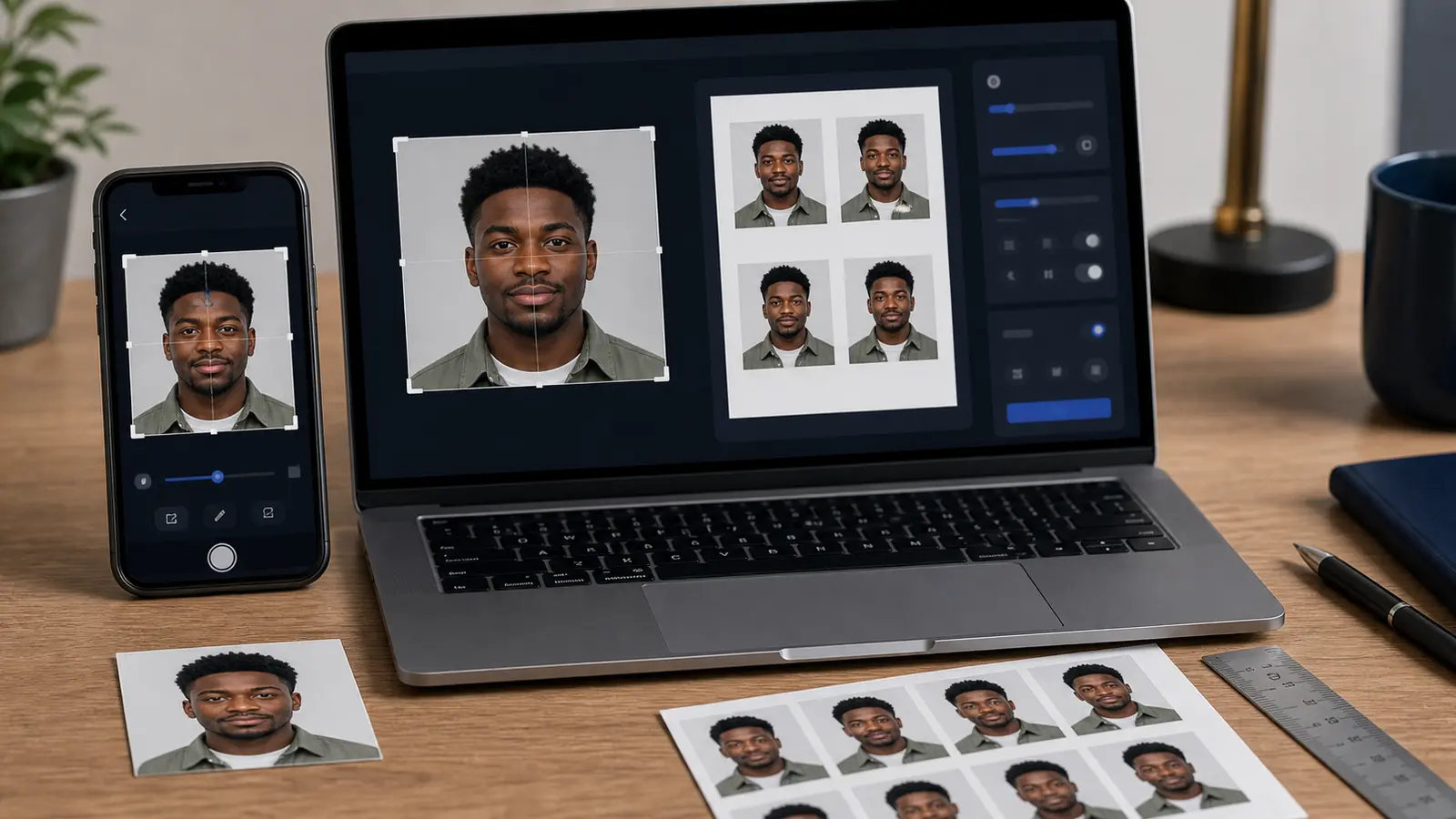
If you came here from a search like free passport photo maker online, 2x2 passport photo online free, or take passport photo at home with phone, the useful path is simple: go from a phone photo to U.S. 2x2 output, then choose the destination before export. A U.S. passport workflow can end as a single digital upload file, a printable 4x6 sheet, or both.
| Goal | Use this output | Check before you use it |
|---|---|---|
| Online U.S. passport renewal | Single digital upload file | Use a recent color photo. The State Department upload route accepts JPG, PNG, HEIC, or HEIF files between 54 KB and 10 MB, with no filters or retouching. |
| Paper application or retail print | Printable 4x6 sheet | Print at 100% scale and avoid kiosk auto-enhance, crop-to-fill, or color correction. |
| Cheap local pickup | 4x6 photo print with 2x2 copies | Send the sheet to CVS, Walgreens, Walmart, or a home printer as a standard 4x6 photo, then measure the final 2 x 2 inch cut. |
Start with the U.S. passport preset in Passlens so the crop and export settings begin from the right rule. Keep the U.S. passport photo guide open for the official 2 x 2 inch and head-height checks, use the 2x2 online workflow for the square-photo path, and use the 4x6 passport photo template guide if the next step is printing. For mixed sheets, extra copies, or A4 and Letter pages, use the collage photo maker print-layout guide.
Do not treat upload and print as the same export. Those file limits are an upload gate. If you are renewing online, check the file type and size before you leave the app. If you are printing, check the physical 2 x 2 inch result instead. The same source photo can support both paths, but the final review is different.
Quick answers for create, convert, and make passport photo searches
The highest-volume searches around this topic use small wording changes: create passport photo, convert photo to passport size, make passport photos online, make passport photo online free, and digital passport photo online. Treat them as slightly different jobs, not as one generic resize task.
| Search phrase | What it usually means | Best next step |
|---|---|---|
| convert photo to passport size | You already have a normal portrait and need it turned into a document-size output. | Use the convert photo to passport photo guide, then export the single file or print sheet you need. |
| make passport photos online | You probably need the whole workflow: upload, crop, background, review, and download. | Open the passport photo maker first, then use this page to choose the right output path. |
| create passport photo online | You know the task but may not know the exact country size, pixel rule, or print route yet. | Choose the document preset before editing so the crop is tied to the right rule from the start. |
| digital passport photo online | Your final destination is probably an upload portal, not a printed sheet. | Use the digital passport photo page and check pixels, file size, and format before download. |
| make passport size photo online free | You want a free browser workflow, but the phrase does not say whether the destination is upload or print. | Decide first whether you need a digital file, a 4x6/A4 sheet, or both. That choice changes the export. |
| free passport photo generator | The word generator often means users expect one-click output, but document photos still need review. | Use generator-style automation only as a starting point; inspect the face, shoulders, background, and export settings before using the result. |
| 2x2 passport photo online | This is the U.S.-style square photo path. | Use the 2x2 online workflow and the 2x2 size guide together. |
This is the main reason Passlens keeps separate tool pages and guide pages. The tool page is for doing the job. The guide page is for deciding which job you are really doing before you download the wrong thing.
Convert photo to passport size: quick answer
Start with the document rule, not the crop box. Choose the country, visa, or ID preset first, upload the portrait, then review face position, background, and output format before downloading. For a U.S. passport photo, that usually means a 2 x 2 inch result. For many European passport and visa photos, it means 35 x 45 mm.
That is the sensible order when you need to create a passport photo online from a normal picture. Size first, crop second, export last. If you only resize the image before checking the document rule, you can end up with the wrong head size, the wrong background, or a file that looks fine on screen but does not fit the upload or print job.
Use Passlens when you want to create the photo in the browser and download either a digital file or a print sheet. If your exact job is to convert photo to passport size online free, use the convert photo to passport size guide. It is the shorter path for users who already know they only need to turn one ordinary portrait into a document-size output.
If your search was simply create passport photo, stay on this page for the full workflow. The phrase is broad because the job is broad: pick the document rule, set the crop, review the background, decide between print and digital, then download the right output.
Create a passport photo online: choose the right path first
When people search for create passport photo online, create passport photo online free, or free online passport photo maker, they are usually deciding between several jobs at once. They may need a U.S. 2x2 passport photo, a visa photo, a digital upload file, or a print sheet with several copies. Those are related jobs, but they should not all be treated as the same resize button.
The safest route is to identify the finished output first. A digital passport photo online may need JPEG, pixel, and file-size checks. A print job needs the physical size and 100% scale. A normal portrait that needs to become a document photo belongs in the convert-photo workflow. The browser tool can handle those paths, but the user should know which one they are following before download.
| Search phrase | Best Passlens path | What to check before download |
|---|---|---|
| create passport photo online | Open the passport photo maker | Country preset, crop, background, and whether the output is for upload or print. |
| create passport photo online free | Use the free browser workflow | No signup is needed for the main photo workflow, but the result still needs a final visual check. |
| convert photo to passport size | Use the convert-photo guide | Whether the source portrait has enough room around the head and shoulders. |
| convert image to passport size | Use the resizer when the crop is already correct | Do not resize a bad crop and expect the document check to pass. |
| digital passport photo online | Use the digital passport photo workflow | Pixel dimensions, file size, JPEG export, and upload portal rules. |
| 2x2 passport photo online free | Use the 2x2 workflow guide | 2 x 2 inch size, U.S. head-height range, background, and upload or print output. |
That is also why this guide links out to the narrower tool pages instead of trying to make one article carry every possible search. Use the maker when you need the full photo workflow, the checker when you want to inspect a result, the resizer when the image is already framed correctly, and the digital-photo page when an upload portal is the final destination.
If the upload rules are the part you are unsure about, keep the passport photo for online applications guide open while you export. It covers the file checks that can still matter after the crop itself looks right.
Best free online passport photo maker: what to check first
The best free online passport photo maker is the one that lets you finish the real job, not just crop a square. Before you upload, check whether the tool supports your document size, gives you enough crop control, lets you review the background, and explains whether the result is meant for digital upload, print, or both.
Search results for “best” pages can be noisy because many of them compare homepages instead of workflows. A better test is simple: would you still trust the tool after you have looked closely at the crop, hairline, shoulders, background, and download options? If not, it is not the best tool for this job, even if the landing page sounds convincing.
That also applies when the search is shorter, like free passport photo maker, passport photo maker free, or free passport photo editor. A useful free tool should make the next step clear. If you need a U.S.-style square photo, go from this page to the free 2x2 passport photo workflow. If you need file dimensions, check the passport photo pixel-size guide before exporting.
Quick check
A free maker is worth using only if you can review the crop, background, and export path before the final download.
What a real free passport photo maker should actually do
| Capability | What a weak free tool does | What a serious free passport photo maker should do |
|---|---|---|
| Document sizing | Offers one vague crop box | Starts from document-aware sizing and framing |
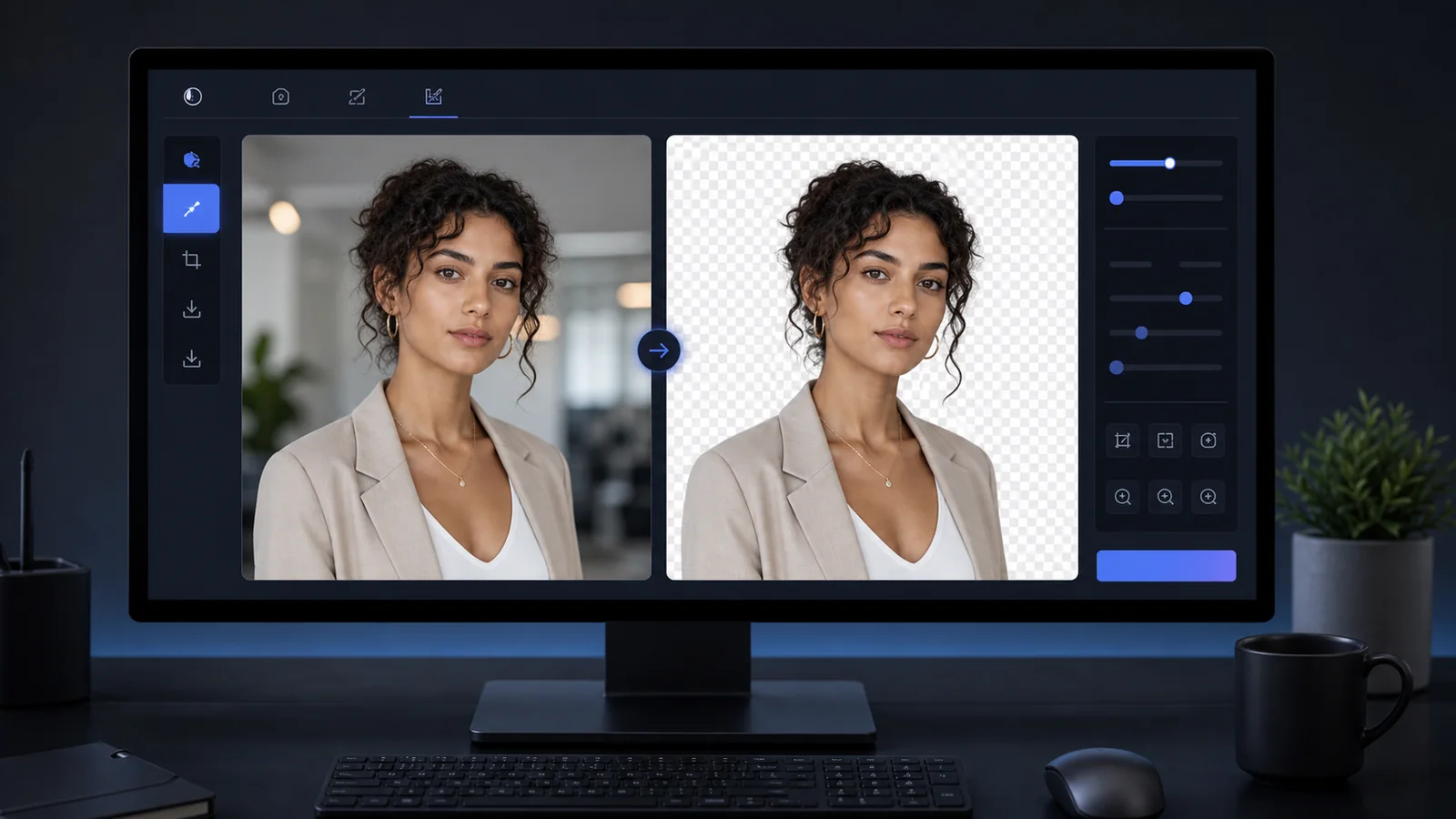
| Background handling | Provides only cosmetic erase tools | Supports clean background preparation that still looks natural at the edges |
| Head positioning | Leaves the user guessing inside a rectangle | Makes crop and face review easier before export |
| Output mode | Downloads one generic image | Lets the user choose between practical digital or print-oriented outputs |
| Trust and privacy | Hides processing assumptions | Explains browser-first vs upload-based behavior clearly where relevant |
| Final review | Pushes download quickly | Makes it easier to inspect the result before the user commits to it |
The easiest way to evaluate a free passport photo maker is to look past the homepage claim and inspect the workflow. Does the product act like a document-photo tool or like a generic editor with a passport keyword dropped on top? Serious products reduce uncertainty. Weak ones produce an image and shift the uncertainty back onto the user.
Why a browser-based passport photo maker often beats a generic free editor
A generic free editor can crop a photo, maybe brighten it, maybe erase a background, and then hand back a download. That sounds helpful until the user realizes they are still doing the document-thinking manually. They still need to know which frame to use, how much space to leave around the head, whether the background still feels believable, whether the final result should be printed, and whether the export looks trustworthy. The generic editor solved the image problem but not the workflow problem.
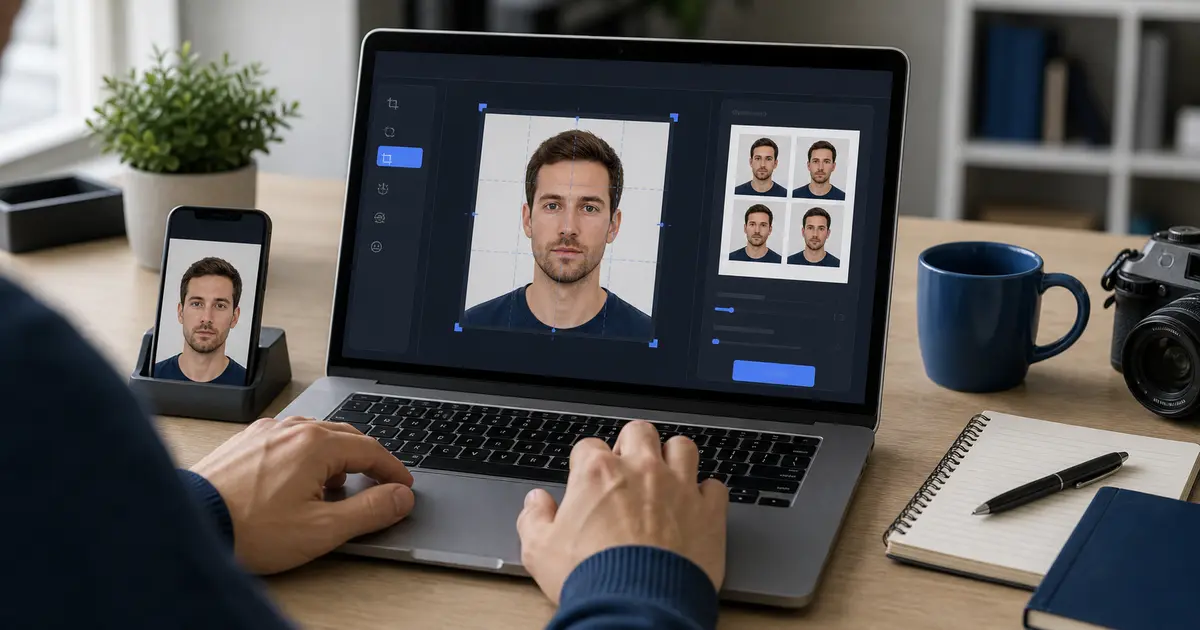
A browser-first passport photo maker is stronger because it can narrow that decision space. It can connect the crop to the document logic, connect the output to print or digital use, and give the user a review surface that feels calmer than a tiny phone editor. That is also why browser tools often work well even for users who capture on their phone first. Capture can happen on mobile. Final review can still happen where the output is easier to inspect.
This is not anti-app or anti-mobile. It is just an honest description of where browser tools are often strongest: larger-screen review, easier comparison against guides, clearer output decisions, and cleaner print preparation. For users who care about the final result more than the novelty of the interface, that advantage is significant.
Desktop browser workflow versus phone-first workflow in a free passport photo maker
One of the most useful ways to judge a free passport photo maker is to stop asking whether it works on your phone or on your laptop and start asking where each environment helps most. A phone-first flow is excellent for capture convenience. The camera is already there, the user can retake quickly, and the whole experience feels immediate. A desktop or laptop browser, on the other hand, is usually much better for review. It is easier to inspect the crop, compare a few guides, review the background edge quality, and understand the final output path on a larger screen. Many users get better results when they separate those jobs instead of forcing everything onto one tiny display.
That is why a strong free browser workflow should not try to imitate every native-app interaction. It should focus on what the browser does best: calm review, clearer export decisions, and easier print preparation. For many users, the ideal flow is hybrid. Capture on the phone. Finish in the browser. Print or download from the device that makes the next step easiest. This is still one coherent product experience if the software is designed well. In fact, it is often a better product experience because it follows the real strengths of the devices the user already has.
This matters because many people arrive unsure whether they need an app or an online maker. The better question is which workflow gives them enough confidence to stop switching tools. A free tool that works well across capture, review, and export is more useful than one that only looks convenient on the first screen.
| Workflow stage | Phone-first strength | Browser-first strength |
|---|---|---|
| Capture | Fastest way to take or retake the portrait | Usually not the primary strength |
| Detailed review | Can feel cramped on small screens | Better for inspecting crop, edges, and export choices |
| Print preparation | Often awkward if the whole job stays mobile | Much easier to connect with templates, sheets, and printer settings |
| Privacy understanding | Often hidden behind app behavior | Usually easier to explain clearly in-browser |
What a serious free browser workflow should give you before you ever think about paying
A serious free browser workflow should feel complete enough that the user can honestly evaluate whether the product is useful before any upgrade decision appears. That means the free path should include a real preset-driven workflow, enough crop control to finish the job, a background review path that is not purely decorative, and an export route that lets the user inspect the result in the same environment. If the free tier withholds all of that until checkout, it is not acting like a usable tool. It is acting like a teaser.
This is where the difference between “free trial feeling” and “free workflow feeling” becomes obvious. A good free maker still respects the user’s time. It should be able to answer the question “is this software actually right for me?” without making the user guess at what the hidden features would have done. That is especially important in the passport photo category because users tend to arrive with urgency. They may already have spent time setting up a shot, borrowing light, or comparing tool options. The product that gives them a trustworthy first experience has the biggest chance of winning them.
- Baseline crop confidence: enough control that the user can actually inspect the frame.
- Background confidence: enough review that cleanup feels believable rather than magical.
- Output confidence: enough export structure that the next step is obvious.
- Trust confidence: enough transparency that the user understands how the tool is handling the image.
Free vs paid: what people are really paying for in this category
Free versus paid is one of the most useful comparisons in this category, but not in the usual simplistic way. The real question is not whether paid is better in some abstract sense. It is what friction disappears when the product becomes more serious. A free workflow may already be enough if the user has a clean source image, only needs one straightforward export, and is comfortable checking the result manually. Paid value usually appears when the user wants more certainty, better print handling, stronger background cleanup, more output control, or fewer annoying product constraints around the workflow.
A paid feature is useful only if it removes uncertainty. Does it improve the print workflow? Does it preserve export quality? Does it reduce the number of second-tool fixes you have to make? Does the output review feel more confident? Those are the questions that matter.
- Free value: browser access, basic crop, basic output, easy trial of the workflow.
- Paid value: stronger print paths, cleaner review, less export friction, and higher confidence that the result is usable without another tool.
- Bad value: cosmetic filters or upsells that do not materially improve the document-photo workflow.
Free software still depends on a decent source photo
No free passport photo maker becomes good by pretending source quality does not matter. Even the best software works faster and more reliably with a clean source portrait: steady camera, even lighting, simple background, enough room around the face for later cropping, and no obvious blur. The point of software is not to rescue every bad input magically. The point is to reduce the work required to turn a decent input into a finished result.
This is where product trust matters. Weak tools overpromise because they need the click. Strong tools explain where they help most: cropping, review, background cleanup, output control, and print preparation. That honesty is valuable because users who understand the limits of the software are much more likely to get a result they feel comfortable using.
Modern file formats also influence this. Mobile phones increasingly capture efficient formats such as HEIF. Apple documents these formats because they save storage while preserving quality, but users still need a workflow that turns that source into something predictable for browser review and later export. A strong free passport photo maker should absorb that format complexity instead of making the user debug it manually.
Crop, background, and export: the three stages where free tools usually fail
The easiest way to compare free passport photo makers is to watch where they fail. The first failure point is the crop. If the product gives you only a box and no real sense of framing, it is asking you to do the hardest visual judgment alone. The second failure point is the background. If the edge quality around hair, ears, collars, or shoulders looks uncertain, the result will be hard to trust even before you print it. The third failure point is export. If the product makes download easy but leaves the print or digital destination ambiguous, it has simply moved the risk to the next step.
That is why the strongest free browser workflows still feel structured. They do not just give the user editing controls. They give them a path: choose the kind of output you need, review the image clearly, export in a way that fits the next action, and only then stop.
| Workflow stage | What weak tools leave unclear | What good tools help the user decide |
|---|---|---|
| Crop | Whether the frame really feels right | Whether the face and outer frame feel stable before export |
| Background | Whether the cleanup still looks natural | Whether the edge quality stays believable under closer review |
| Export | Whether the file or sheet is actually the right final format | Which output mode fits the next step best |
Free browser workflow for digital files vs print-ready output
One of the biggest advantages of a serious browser workflow is that it can stay useful whether the user wants a digital file, a print-ready sheet, or both. A lot of free tools still assume that one downloaded image solves everything. That is not how many real users work. Some want to upload a file. Some want a 4x6 or A4 print sheet. Some want to print several copies at home because that is the simplest route for them. Good software respects those differences rather than funneling everyone into one generic export path.
This is also why free passport photo content naturally branches into high-intent support topics such as printer guides, paper guides, templates, and crop tools. The original query is broad, but the workflow quickly becomes specific. That is not a content problem. That is a product-discovery advantage. The free maker page can be the broad entry point. The support guides can answer the narrower questions the user encounters next.
The practical takeaway is simple: if a free product claims to handle both digital and print workflows, it should make that difference visible during export. If it does not, the user is still doing too much of the job manually.
Why privacy and local processing matter in a free browser workflow
Users shopping free tools are often unusually sensitive to privacy and trust. They do not want to upload a portrait into an unknown system by default if the same work can happen in the browser. That does not mean upload-based processing is inherently bad. It means transparent processing boundaries are a product-quality feature. Browser-first and local-first approaches matter because they remove one more hidden assumption from the workflow.
Privacy-aware users care about where the image goes, whether they can keep the workflow local, and whether the product explains when upload-based processing is involved. That is not a side issue. It is part of whether the user trusts the result.
Trust signal
A free browser workflow feels much stronger when the user can tell what happens locally, what happens remotely, and which path they are choosing.
Why some free passport photo tools still leave users searching again five minutes later
A weak free passport photo tool usually fails in one of two ways. Either it hides too much behind simplicity, or it leaves too much for the user to do manually. In the first case, the workflow feels fast but untrustworthy: one click, one crop, one download, not enough review. In the second case, the workflow is technically flexible but practically exhausting: the user gets a blank canvas, vague export options, and no real help deciding whether the output is ready. Neither of those extremes is good enough for a category where the user is usually already time-sensitive and wants a tool that lowers decision fatigue.
The best free tools live in the middle. They are structured without being rigid. They reduce uncertainty without pretending to replace judgment. They keep the user moving without making the product feel like a trap. This is why good content around free passport photo makers should sound practical rather than dramatic. The product does not need to be sold with impossible claims. It needs to be explained in terms of how much friction it removes from a real-world workflow.
That is why a serious free-maker guide has to cover more than one screen of advice. The workflow underneath the search is not simple: crop confidence, background review, privacy, print readiness, output modes, phone versus browser tradeoffs, and free versus paid limits all affect the final result. Length is useful only when it helps the user stop bouncing between shallow pages that each explain one fragment of the same decision.
A decision framework for choosing a free passport photo maker
A simple decision framework makes this category much easier to navigate. First ask whether your main pain point is capture, review, background cleanup, print output, or digital export. Second ask whether the software helps with that specific pain point or only makes the interface look easy. Third ask whether you will need a second tool afterward. If the answer is yes, the first tool may not be solving enough of the workflow to deserve trust. Fourth ask whether the product is clear about privacy, output, and processing. Those are the qualities that separate a genuinely useful free tool from a funnel with a crop widget attached to it.
The goal is not to declare one universal winner. The goal is to help you understand which kind of tool behavior is actually useful for your situation. Users who choose a workflow that matches their real need are more likely to finish the task without starting over.
- If you want the broadest free browser workflow, start with software that explains crop, background, and export together.
- If you plan to print at home, prioritize template and print-output strength over editing flair.
- If you want the simplest path from phone capture to final result, choose tools that accept common mobile inputs and keep the review step legible.
- If privacy is a priority, choose browser-first workflows with explicit local or upload-based handling rules.
How to compare free passport photo makers once you have several tabs open
Most people do not compare these tools by reading every page carefully. They open several tabs, scan the promises, and try to figure out which one feels safest without wasting another half hour. Look for signals instead of slogans. Does the workflow look structured? Does the output path make sense? Does the product explain what happens to the file? Does it act like a document-photo tool, or just a generic image editor with a passport label?
A useful guide should sound more like practical notes than advertising. It should explain what a useful crop review looks like, why print output matters, and why browser review can be easier than app-only editing for many people. Users do not want complexity. They want to avoid dead ends.
That is especially true for passport photos because the promise is practical. The user does not merely want an image they like. They want an image they can finish with confidence. Strong comparison advice names the friction points so the user can identify which tool actually reduces them.
Where free passport photo makers usually break the user journey
The most frustrating thing about weak free tools is that they often fail late. The first steps look fine. The upload works. The crop box appears. The result looks acceptable at thumbnail size. The problem arrives when the user needs confidence. Maybe the crop does not feel measured enough. Maybe the background edge looks odd once they pay closer attention. Maybe the export path gives only one generic file even though the user wanted something print-ready. Maybe the product quietly starts gating the useful features behind an account or upgrade at exactly the moment the user thought they were done. This kind of late failure is more damaging than an obviously bad homepage because it wastes the user’s time after they have already committed attention to the tool.
That is why this page talks plainly about where tools fail. If the software does not clearly separate digital versus print outputs, that is a risk. If the crop review is too vague, that is a risk. If the product explains nothing about processing, that is a risk. If the export path feels disconnected from the editing path, that is a risk. Once you understand those risks, you can judge tools much faster.
The category is full of weak product experiences, so practical guidance already helps. If a user avoids the wrong free tool because the page explained the workflow better, the page has done its job before they even open the app.
Print lab, home printer, or digital-only: the free tool still needs to support the destination
A lot of users begin with a free passport photo maker because they think they only need one thing: “make the image.” In reality, the next step changes what kind of free tool is actually useful. If the user will print at home, the free tool needs to make the print path obvious enough that the result can be trusted after scaling, paper choice, and trimming. If the user will send the image to a photo lab or pharmacy, the tool still needs to export predictably enough that the print order does not become guesswork. If the user is digital only, they still need enough review confidence that the final file feels intentional rather than accidental. This is why destination-aware content matters so much. A good free maker helps the user finish the correct kind of job, not just any job.
This is also where the surrounding guides matter. A user who arrives on the free-maker page can naturally branch into printer, paper, template, and crop-tool guides based on what they plan to do next. Those pages reinforce each other because they all belong to the same workflow.
In practice, this means the free-maker page should not pretend to be self-contained. What kind of printer is enough? Which paper finish is most forgiving? Do I need a template or just a single file? Is a crop tool enough or do I need a fuller workflow? Those are natural follow-ups, and the page should make them easy to find.
Why this page deserves a long-form treatment instead of a short affiliate-style summary
A lot of “free tool” pages are short because they are built as listicles or thin roundups. That style works poorly here. Someone comparing free passport photo makers needs more than a slogan and a button. They need to understand the workflow, the risks, the difference between browser and app behavior, the relationship between editing and output, and the trust signals that matter when the image might later be printed, uploaded, or reused.
A longer guide also gives the topic enough room to connect editing, cropping, privacy, printing, and output confidence into one coherent workflow. That is useful because the user can arrive from several different searches and still leave with a clearer sense of which tool path fits them.
So the length here is not padding. It is structure. It gives the page enough space to answer the real software-comparison question properly. If the page were cut back to a few paragraphs, it would fall into the same trap as the weak tools it is trying to help users avoid: too much simplification, not enough confidence, and too little real guidance where the decision actually happens.
Best starting points
- Passport photo software guide
- Passport photo editor online guide
- 2x2 passport photo online free guide
- Passport photo crop tool guide
- Passport photo printer guide
- Passport photo paper guide
- Passport photo template guide
- Convert photo to passport photo guide
- Automatic background removal guide
- Face adjustment and auto fit guide
- Passport photo app guide
- ID photo maker and biometric photo guide
- How Passlens verifies passport photo rules
How to create a passport photo online free without ending up in the wrong workflow
When people search create passport photo online free, they usually are not asking for a random crop widget. They are trying to finish a real document-photo job without signing up, without hitting a fake-free paywall, and without guessing whether the crop is actually usable. That is why the best answer is workflow-specific. If you need a U.S. passport photo, start with the U.S. passport photo guide so the official 2x2 rule, head-height range, and upload requirements stay aligned. If you mainly need the square-format math, go straight to the 2x2 passport photo size guide and keep it open while you edit.
That split matters because “free” is not the real challenge. The real challenge is creating the right output without getting pushed into a second or third tool later. A strong free maker should let you create the image, review the crop, choose the correct output path, and decide whether you need a digital upload or a print sheet. That is especially important for American passport workflows, where the same user may need a 2 inch by 2 inch passport photo for print and a digital upload that still respects the same official crop.
This is also where searches like 2x2 passport photo online free, create passport photo, create passport photo online, and convert photo to passport size all collapse into the same product question. The user wants one browser workflow that can take a normal portrait, turn it into a real passport-size file, and still leave them with something they can trust for print or upload.
If the query is closer to biometric photo maker, the intent is still compatible with this page. Most people are not asking for a different class of software. They are asking whether one browser workflow can handle a formal document crop without looking improvised at the final step.
- Need a U.S. document photo? Use the U.S. passport photo guide so the free-maker workflow stays tied to the Department of State rules.
- Need the dedicated square workflow? Open the 2x2 passport photo online free guide and follow the crop, background, and export path in order.
- Need the size math first? Open the 2x2 passport photo size guide for inch, millimetre, and pixel conversions.
- Need an upload file? Check the passport photo pixels guide before you export.
- Starting from a normal portrait? Use the convert photo to passport photo guide before you worry about print or upload.
Why a long-form free-maker guide is more useful than a short listicle
Short free-tool pages usually fail for the same reason weak free tools fail: they try to compress the decision too aggressively. A user comparing passport photo makers does not only need a yes-or-no answer about whether the product is free. They need to know whether the tool will still feel trustworthy once the crop is set, the background is reviewed, the export decision is made, and the final file or sheet is ready to leave the browser. That is not a tiny question. It deserves a page that treats the workflow seriously rather than pretending everything can be settled in three bullets and one call-to-action.
A long-form guide is useful here because it reduces repetitive searching. Instead of forcing the user to look up crop tools, print settings, privacy concerns, and output questions separately, the page gives them one model of how free passport photo software should behave. The page is long because the decision has several connected parts that users genuinely care about.
How to use this guide without getting lost in tool-hopping
The simplest way to use this guide is to decide which stage of the workflow matters most to you right now. If you mainly need a trustworthy free starting point, use this page as the broad filter. If you already know printing is the issue, jump from here into the printer, paper, or template guides. If crop confidence is the issue, jump to the crop-tool or face-adjustment content. If you mainly want to compare app versus browser behavior, use this page together with the broader software and editor guides. That way the guide becomes a map rather than just another blog page you skim and forget.
That is also the best way to avoid endless tool-hopping. If you use the page to identify the next real decision instead of comparing ten products at once, the category becomes much easier to navigate. Good guidance should make the user calmer and more decisive, not more overwhelmed.
Frequently asked questions
Can a free passport photo maker online really handle a U.S. 2x2 passport photo?
Yes, if the tool is built around the actual U.S. passport workflow instead of a generic square crop. The U.S. Department of State still expects a 2 x 2 inch photo with the correct head-height range and a white or off-white background, so the free workflow has to respect more than the outer square. That is why this page routes serious U.S. users back into the U.S. passport photo guide and the 2x2 passport photo size guide instead of pretending every free editor is automatically good enough.
What is the difference between a free passport photo maker and a free passport photo editor?
A free passport photo editor usually gives you image controls. A real passport photo maker should give you a workflow: document-aware sizing, crop review, background review, and an output path that still makes sense when you need a print sheet or a digital upload. That difference matters because many weak “free editors” can crop a face into a square but still leave the user guessing about the actual document-photo result.
Can I convert a normal photo to passport size free in the browser?
Yes, if the workflow does more than resize the canvas. A useful browser tool should help you convert a normal photo to passport size by keeping the crop, head position, background, and output format tied to the document rule you actually need. If it only hands you a resized square, you still have to do the hard part yourself.
Can I create and print a passport photo online free without using a second tool?
That is the ideal outcome, but it depends on whether the software supports the destination properly. If you want a print workflow, the free tool still has to make DPI, page layout, and scaling understandable enough that the final print is trustworthy. That is why this page links directly into the home-print guide, the printer guide, and the template guide rather than treating download as the end of the job.
Does a free passport photo maker need to support modern phone photo formats like HEIF?
A serious browser workflow should be able to absorb common phone capture formats instead of making the user debug them manually. Apple documents HEIF as a normal modern camera format because it preserves quality while reducing file size, so free passport photo software should expect that reality and keep the review/export path clear even when the source image is not already a plain JPEG.
Open the free passport photo maker
If you want to create a passport photo online free, start from the exact document preset instead of a generic crop tool. That is the fastest way to get a file that is actually useful for a U.S. 2x2 passport photo, visa photo, or ID workflow while keeping the process focused on crop, print, and output quality. For U.S. passport work, open the U.S. passport preset in Passlens.
Representative sources
- U.S. Department of State - Uploading a digital photo
- U.S. Department of State - Passport photos
- GOV.UK - Photos for passports
- Government of Canada - Canadian passport photos
- Apple Support - Use HEIF or JPEG on iPhone camera
- HP Support - Print photos with an HP printer
- Epson Support - Paper type settings and media options